
The CRM your sales team will actually use
Companies, contacts, deals and tickets organized the way your team works. Every rep knows who to call today, and you see the whole pipeline by rep and by team.
- Migration from your current CRM or Excel
- Pipelines and stages your way
- Quotes with online approval
- WhatsApp and email on the record
- Reports by rep and team
- Works on mobile
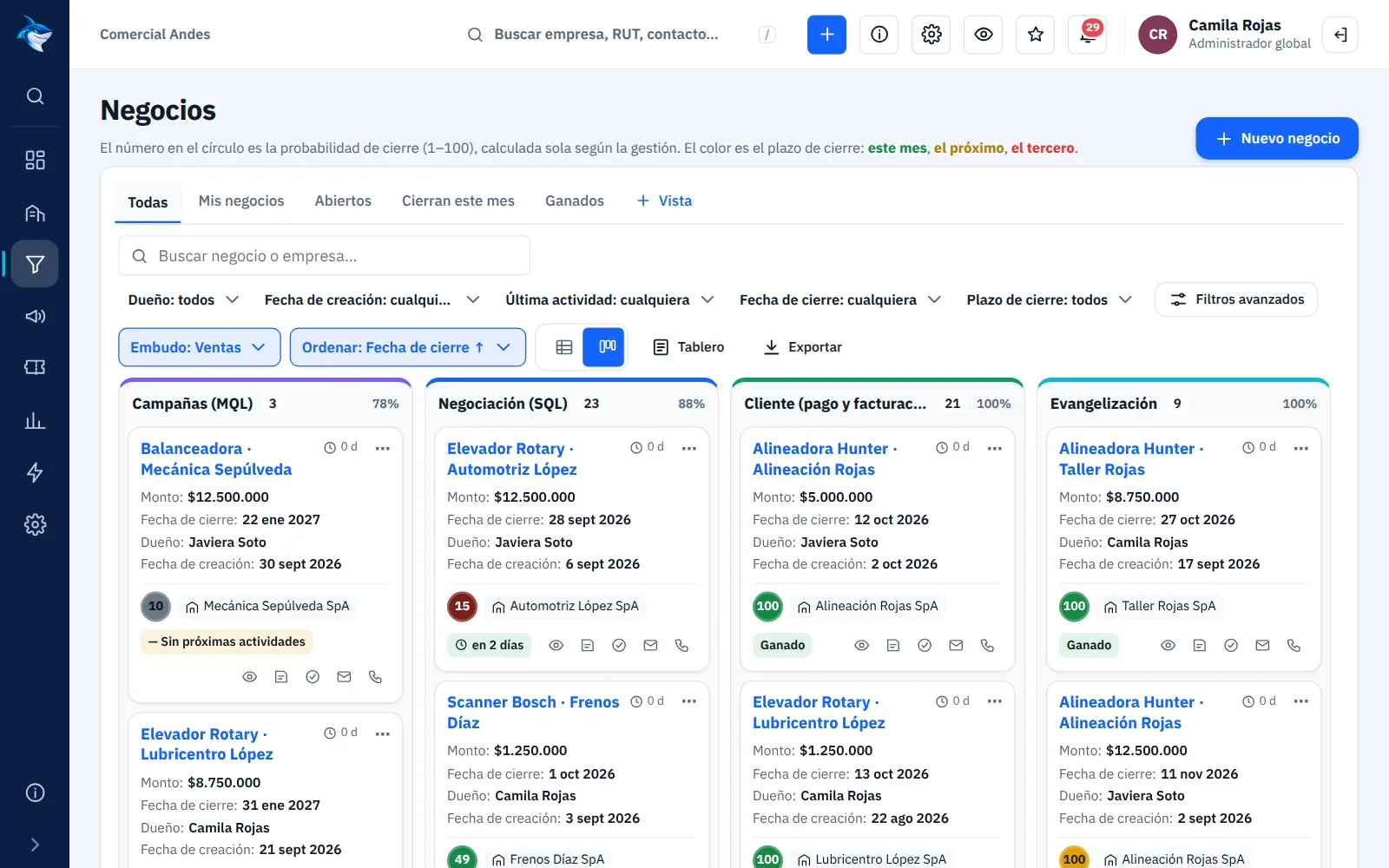
Know who to
call today.
Customers, follow-ups and opportunities in view from the moment you start the day.

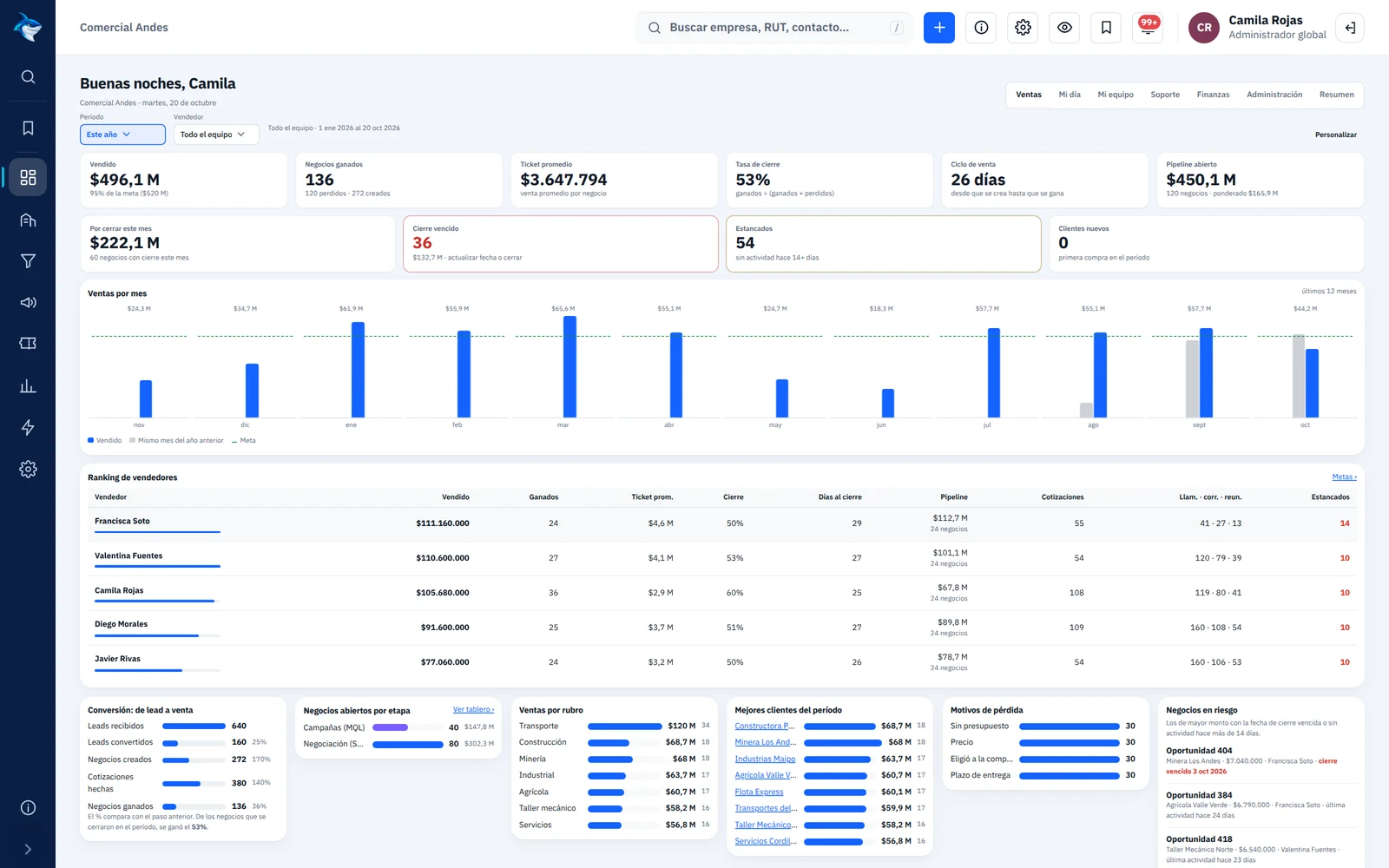
Every rep's day, organized
On login, each rep sees what to do today: tasks, stalled deals, customers who replied and their monthly goal.
- Today's and overdue tasks, done with one tap
- Deals and customers with no follow-up for N days
- Alerts when a customer replies to an email or opens a quote
- Progress toward the monthly sales goal
Sales pipelines your way
Drag each deal from stage to stage. You define the pipelines, the stages and the close probability of each one.
- Board and list with the columns and cards you choose
- Required loss reason, to learn from every lost deal
- Quotes with products, discounts and online customer approval
- Automations: when a deal enters a stage, create tasks or send alerts
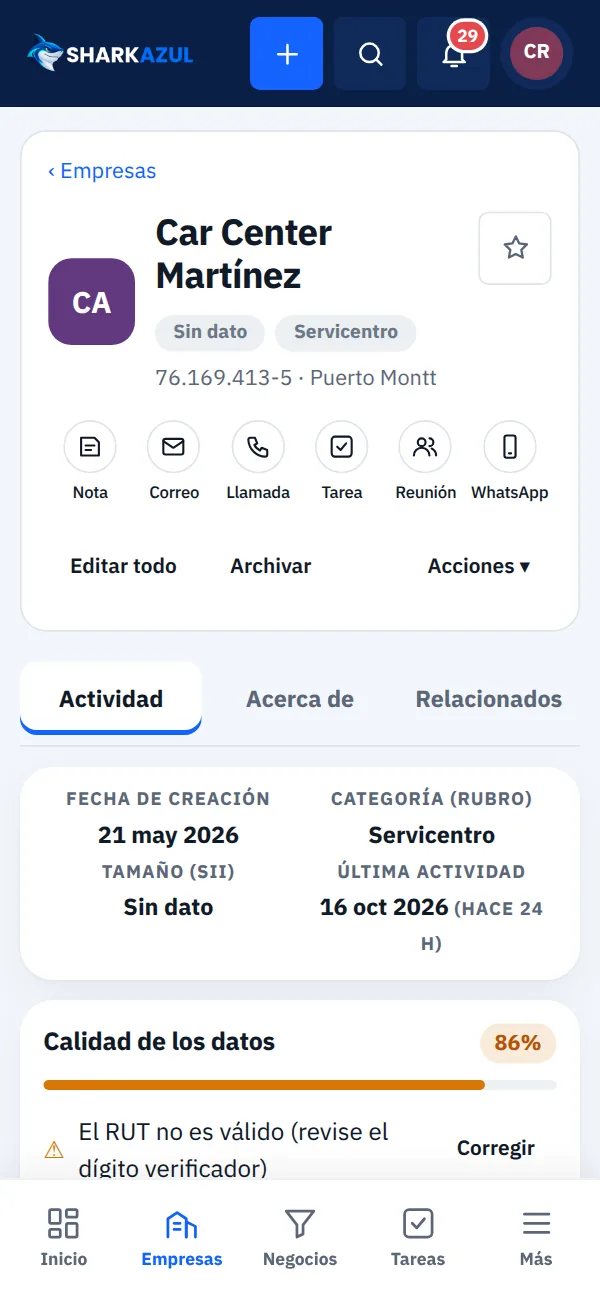
The whole customer story on one record
Company, contacts, deals, tickets, quotes, notes, calls, emails and meetings on one screen, in order.
- Sections and fields arranged the way your team needs them
- Validated Chilean tax ID (RUT) and company size from the SII
- Email and WhatsApp from the record, with the conversation saved
- Bookmarks and custom properties for your business
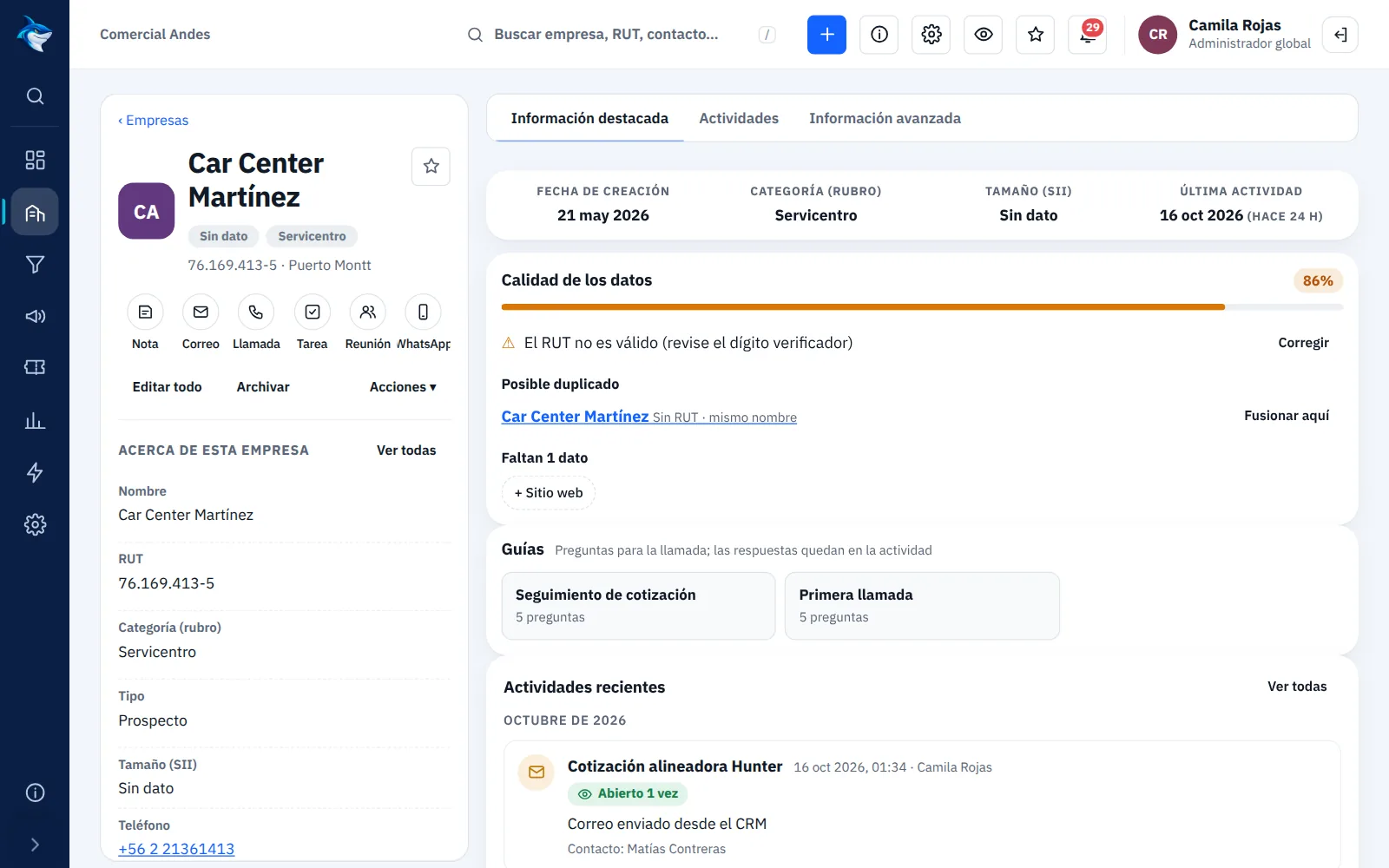
Each team sees what it needs
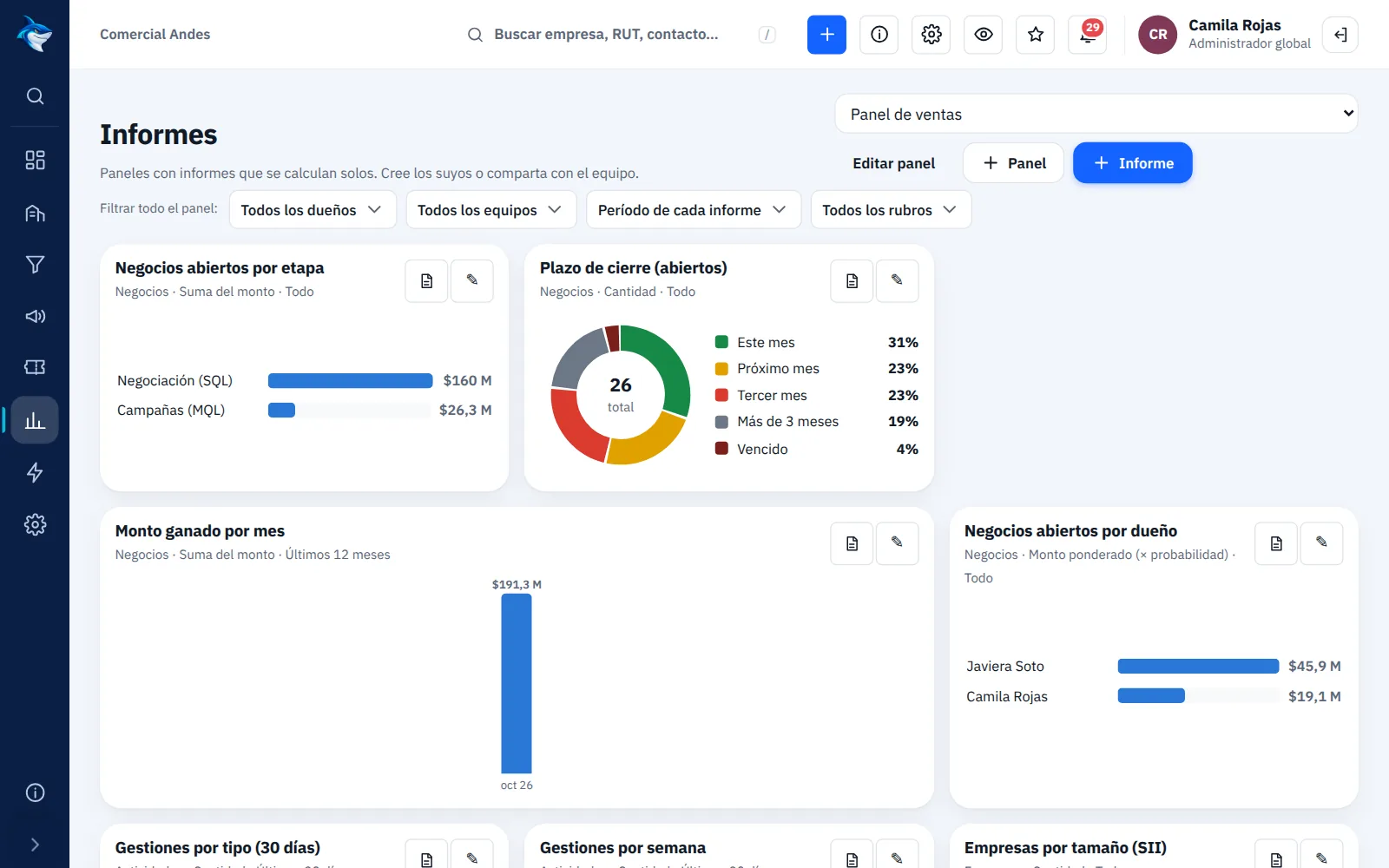
The record page is laid out differently for each team: field sales sees some fields, after-sales and finance see others. You set it up without coding.
- Sections, highlights and right-hand cards per team
- Sections that only appear for certain customer industries
- Required fields to move a deal into each stage
- Collaborators on each deal, besides the owner
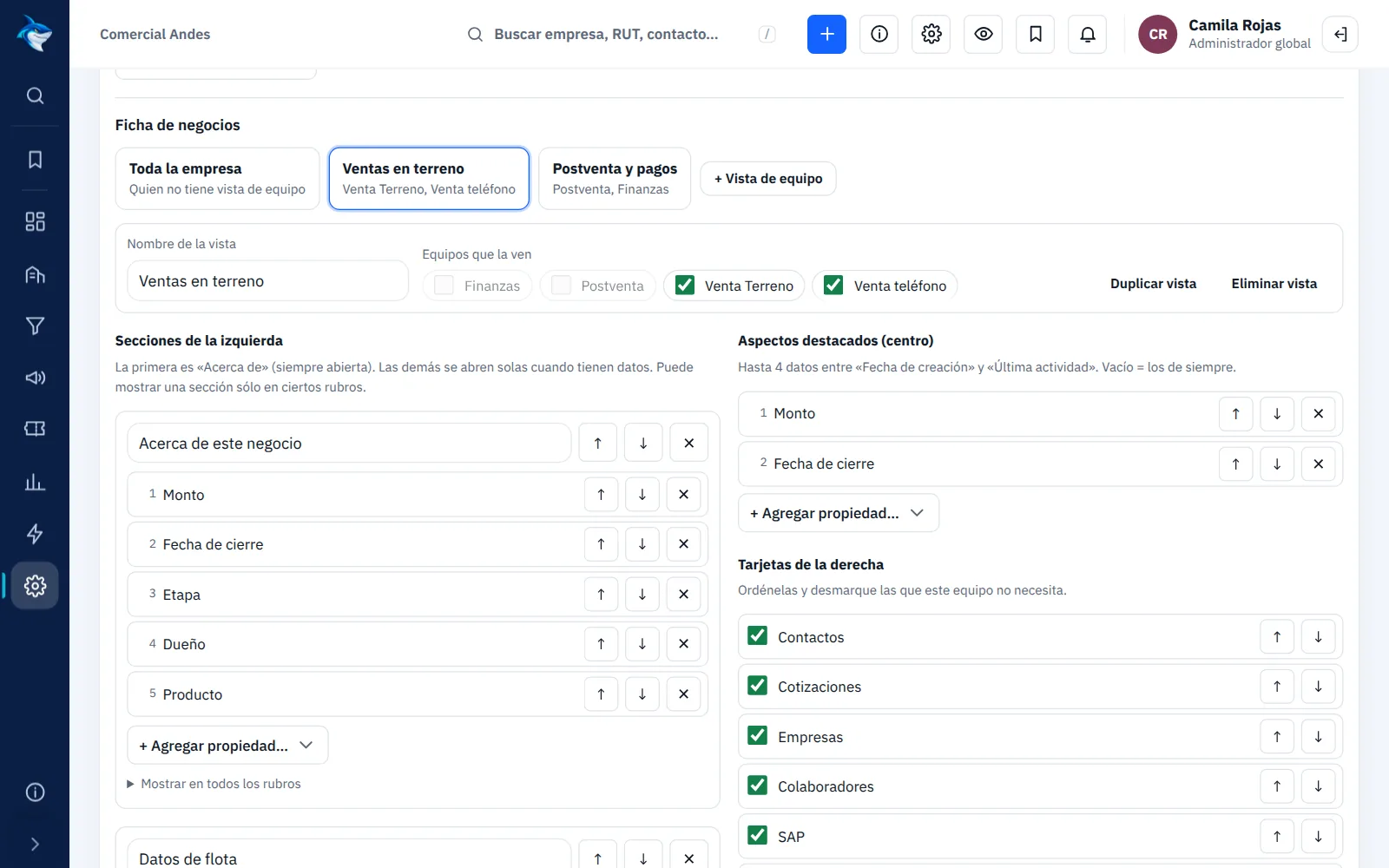
Calendar, tasks and goals
Meetings, calls and tasks for the whole team in one calendar, with each rep's sales goal always in view.
- Day, week or month view, by rep or by team
- Booking link so customers can schedule a meeting with the rep
- Tasks with a due date and owner, also on mobile
- Monthly sales goal per rep
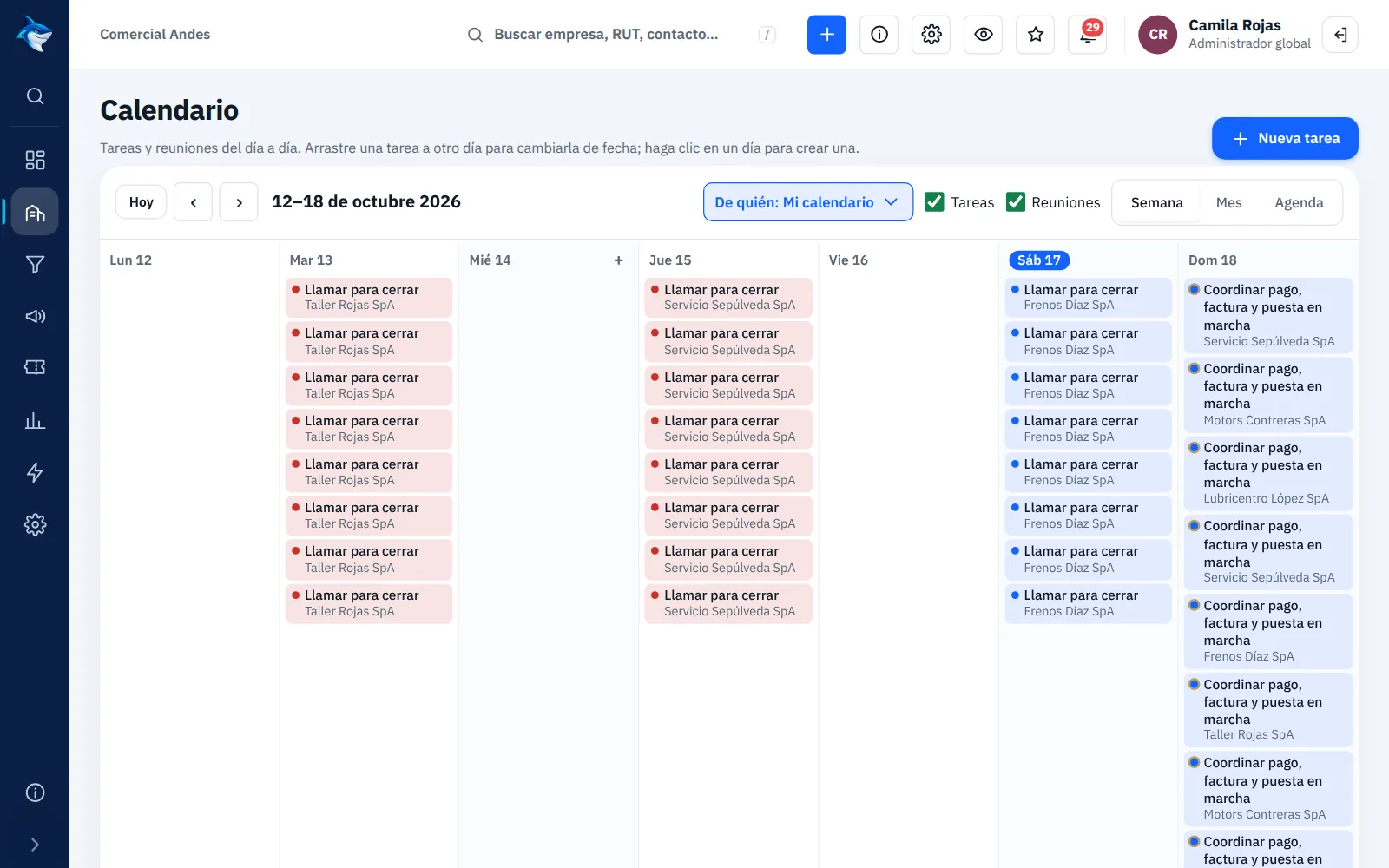
After-sales and claims by stage
Each ticket moves through the stages of your after-sales process, with owner, priority and the full case history.
- Board by stage, just like deals
- Owner, priority and due date
- Sent to Shark CMMS Maintenance when the case needs a field technician (if you also use it)
- Overall status updates itself from the stage
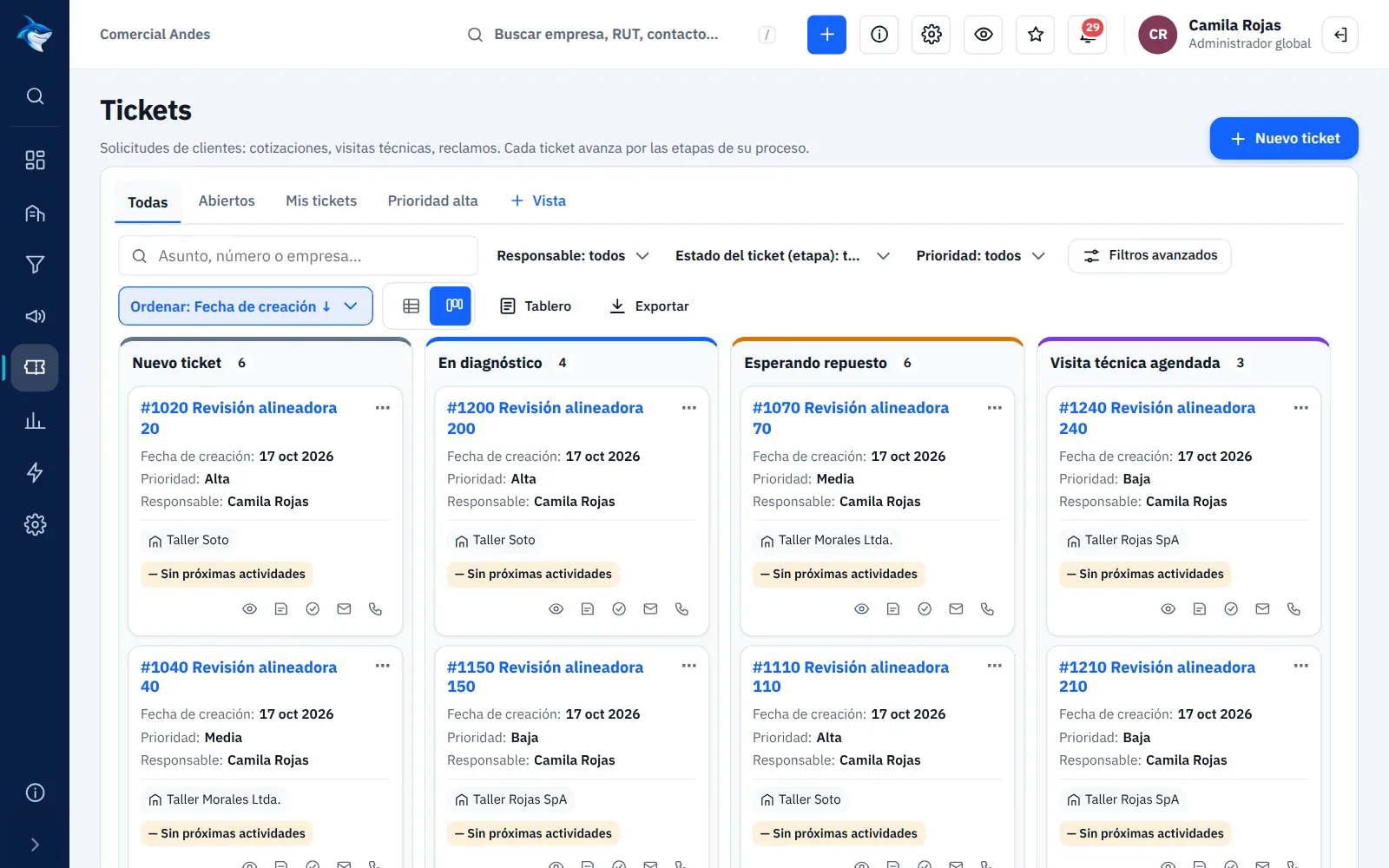
Reports that make sense
Sales, pipeline, activities and goals by rep and by team, for the period you choose.
- Won, lost and open deals
- Activities by rep: calls, emails, meetings and notes
- Filter by sales team
- Export any list to Excel (CSV)
Clean data, no duplicates
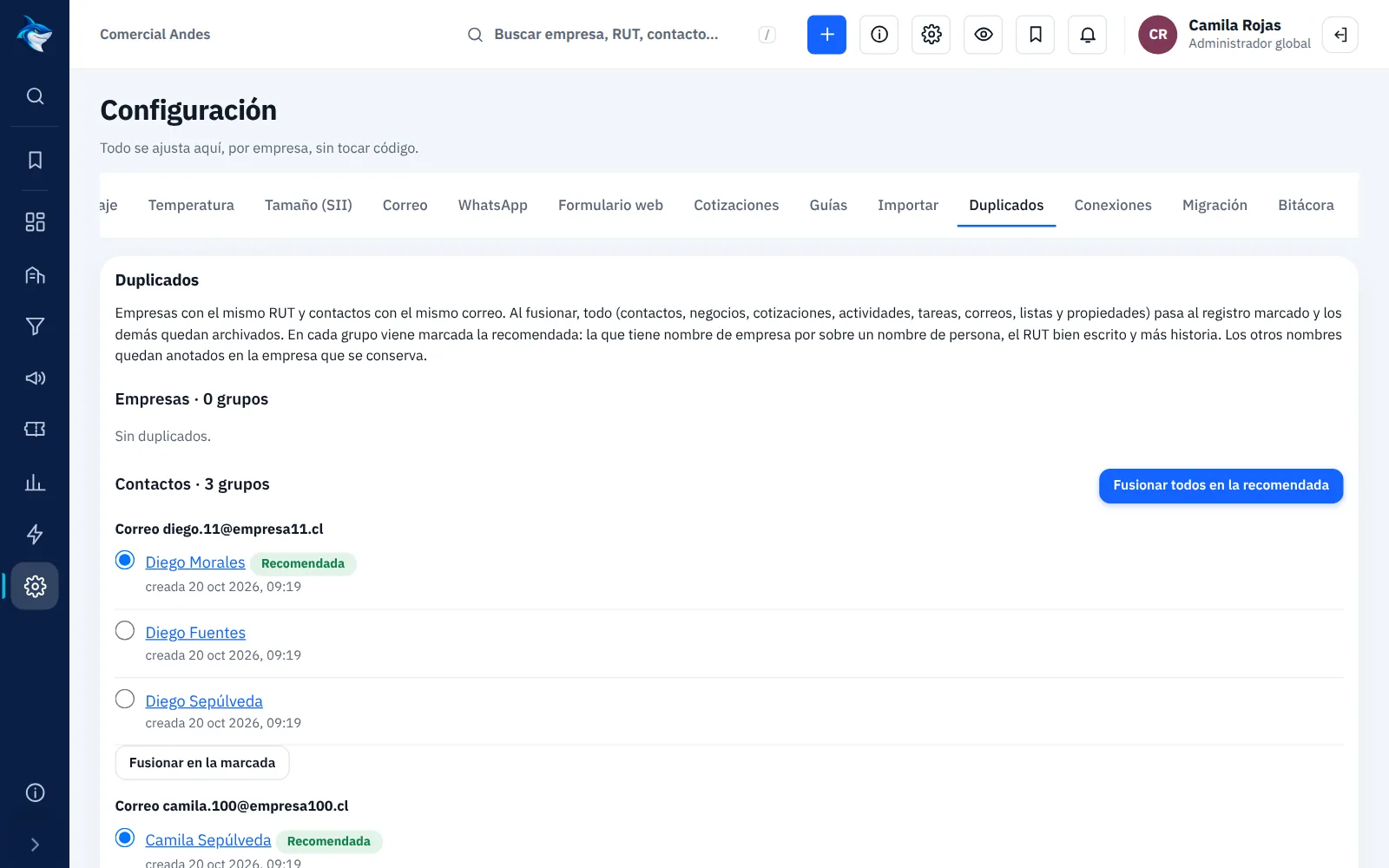
The CRM detects duplicate companies and mistyped tax IDs, and lets your team fix them without losing history.
- Merge duplicate companies and contacts with their full history
- A «tax IDs to review» list for every rep
- Excel import: existing records (same tax ID or email) are updated instead of duplicated
- Audit log of who changed what and when
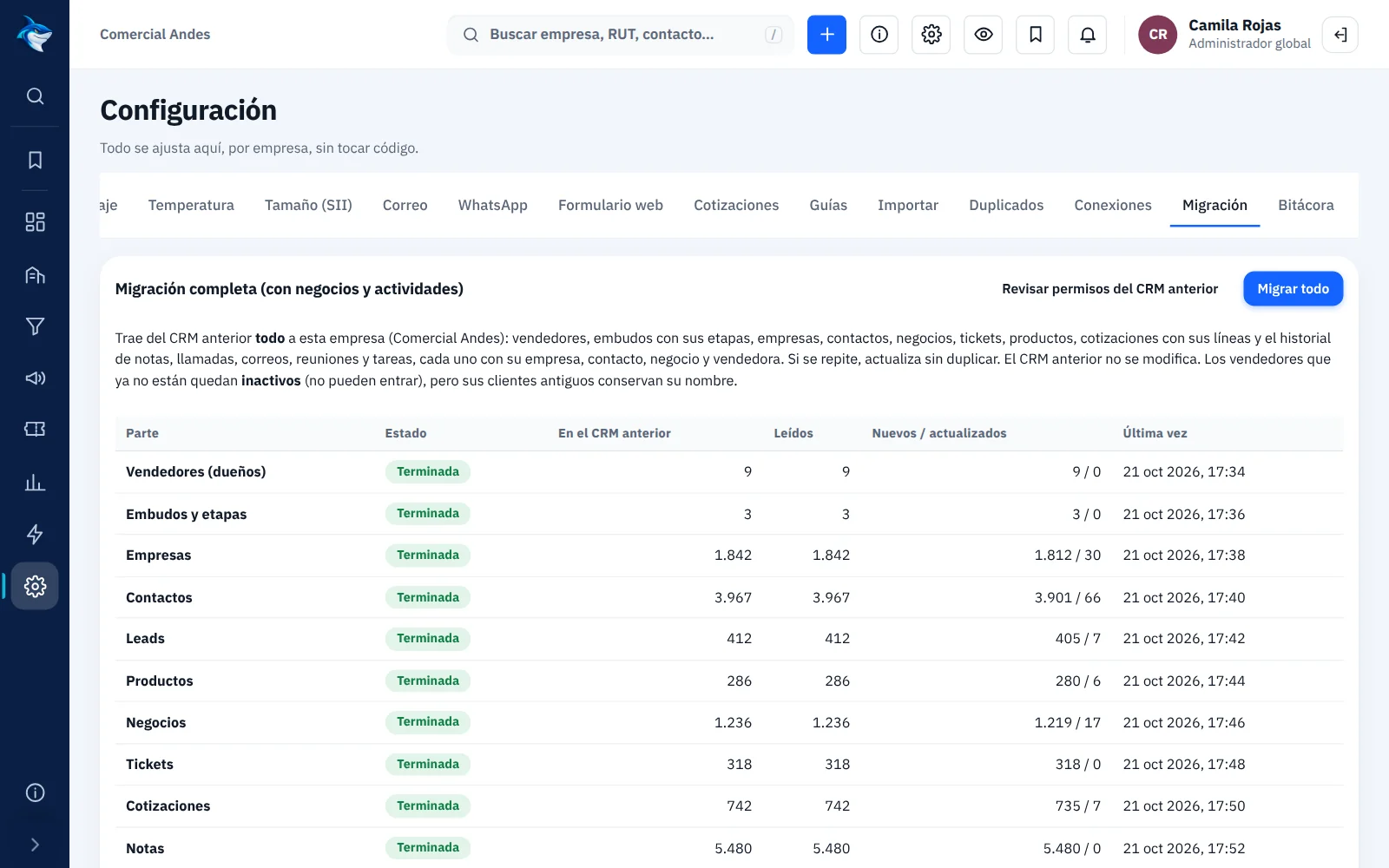
Full migration from your current CRM
From Salesforce, Pipedrive, Zoho, another CRM or Excel spreadsheets we bring everything: companies, contacts, deals with their pipelines, tickets, products, quotes and the history of notes, calls, emails, meetings and tasks.
- Every record keeps its owner and associations
- Sales teams and reps exactly as they were
- Same column and record layout your team was used to
- Your current system is not modified: you can run both while your team adapts
Quoting is the start.
Closing is the goal.
Every opportunity, from first contact to close, always in sight.

Screenshots of the system with sample data.
From the CRM nobody fills in to the one everyone uses
Marketing Automation & B2B Prospecting
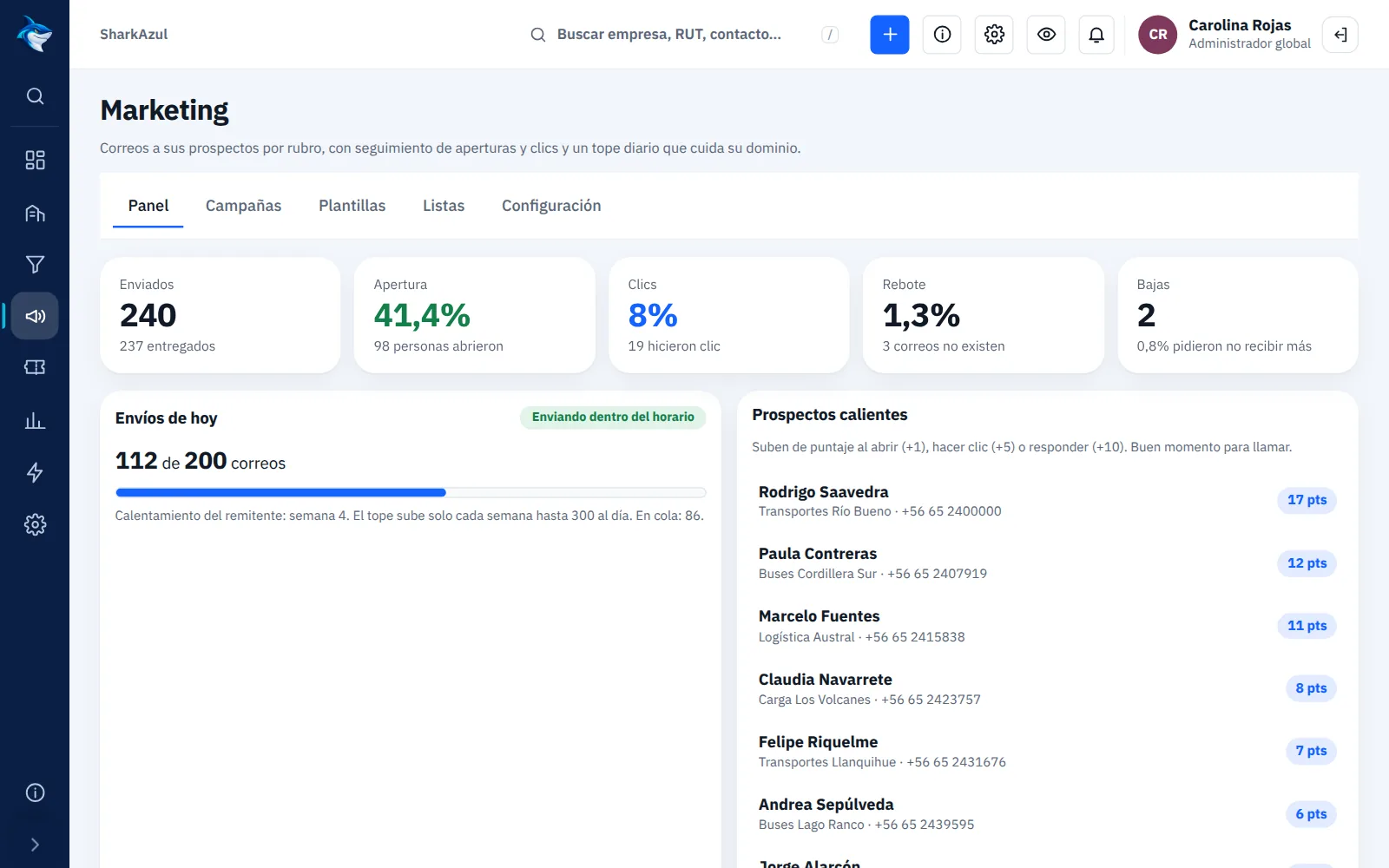
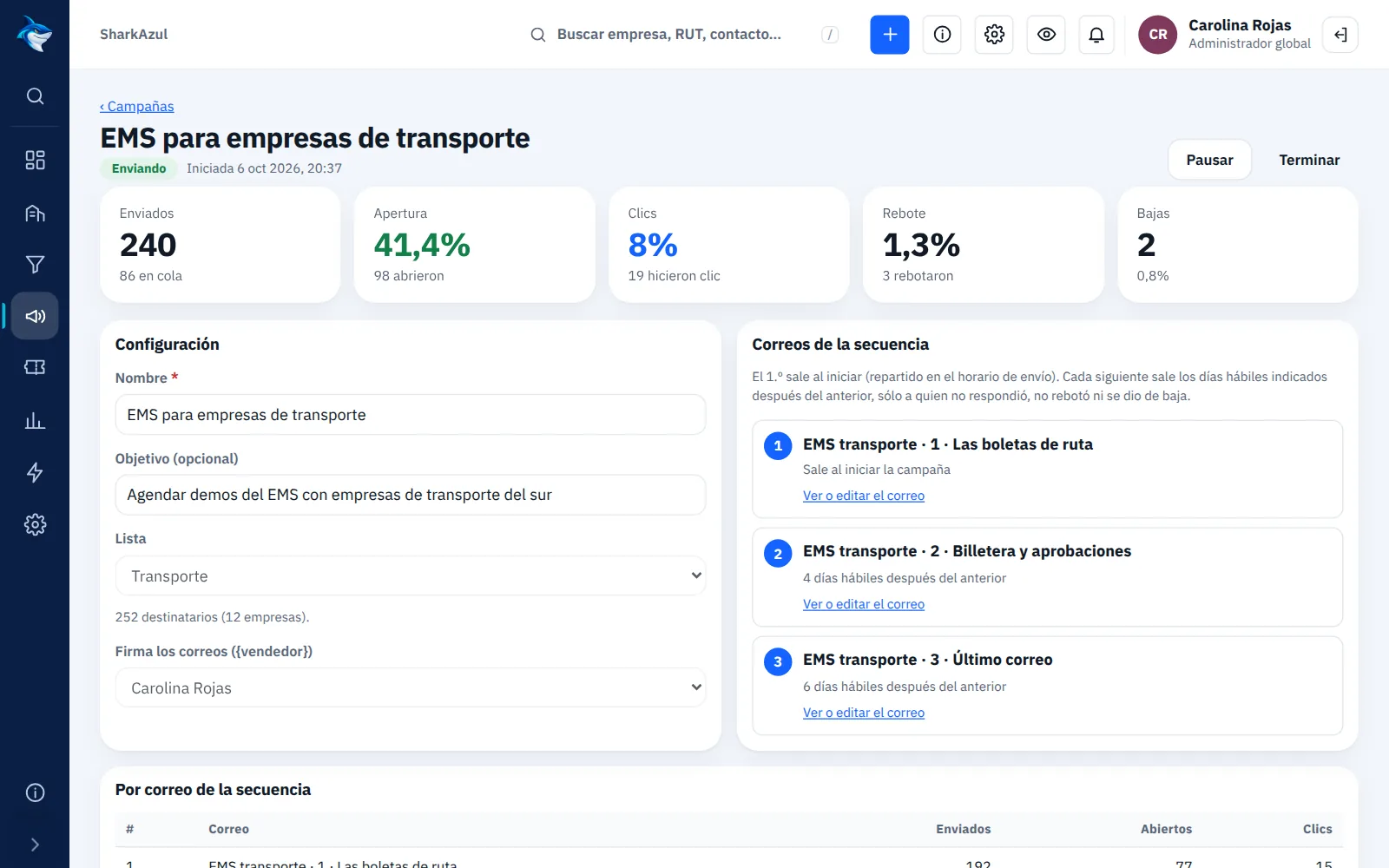
Email your prospects by industry from the same CRM where you manage them: email sequences with open and click tracking, and an alert to the salesperson when a prospect shows interest.
- Lists by industry, region or company type, or imported from Excel (CSV)
- Multi-email sequences: the next one only goes to those who did not reply
- Subject A/B test: the winner is sent to the rest of the list automatically
- Send at the time each contact usually opens
- Daily and hourly caps with gradual warm-up to protect your domain
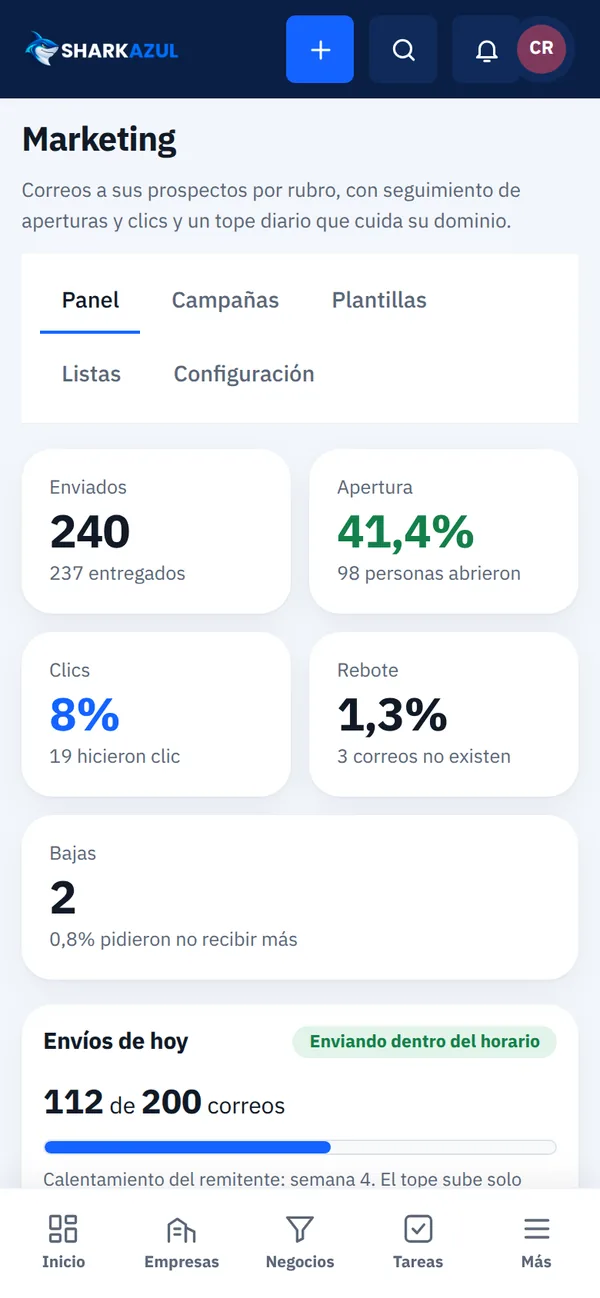
- Dashboard with sent, opens, clicks, bounces, unsubscribes and deals generated
Email editor, no coding
Build each email with drag-and-drop blocks: heading, text, list, button, image and signature. Or paste your own HTML.
- Variables that personalize each email: {nombre_contacto}, {nombre_empresa}, {cargo}, {cargo_vendedor}
- Desktop and mobile preview before sending
- «Send me a test» button to check it in your inbox
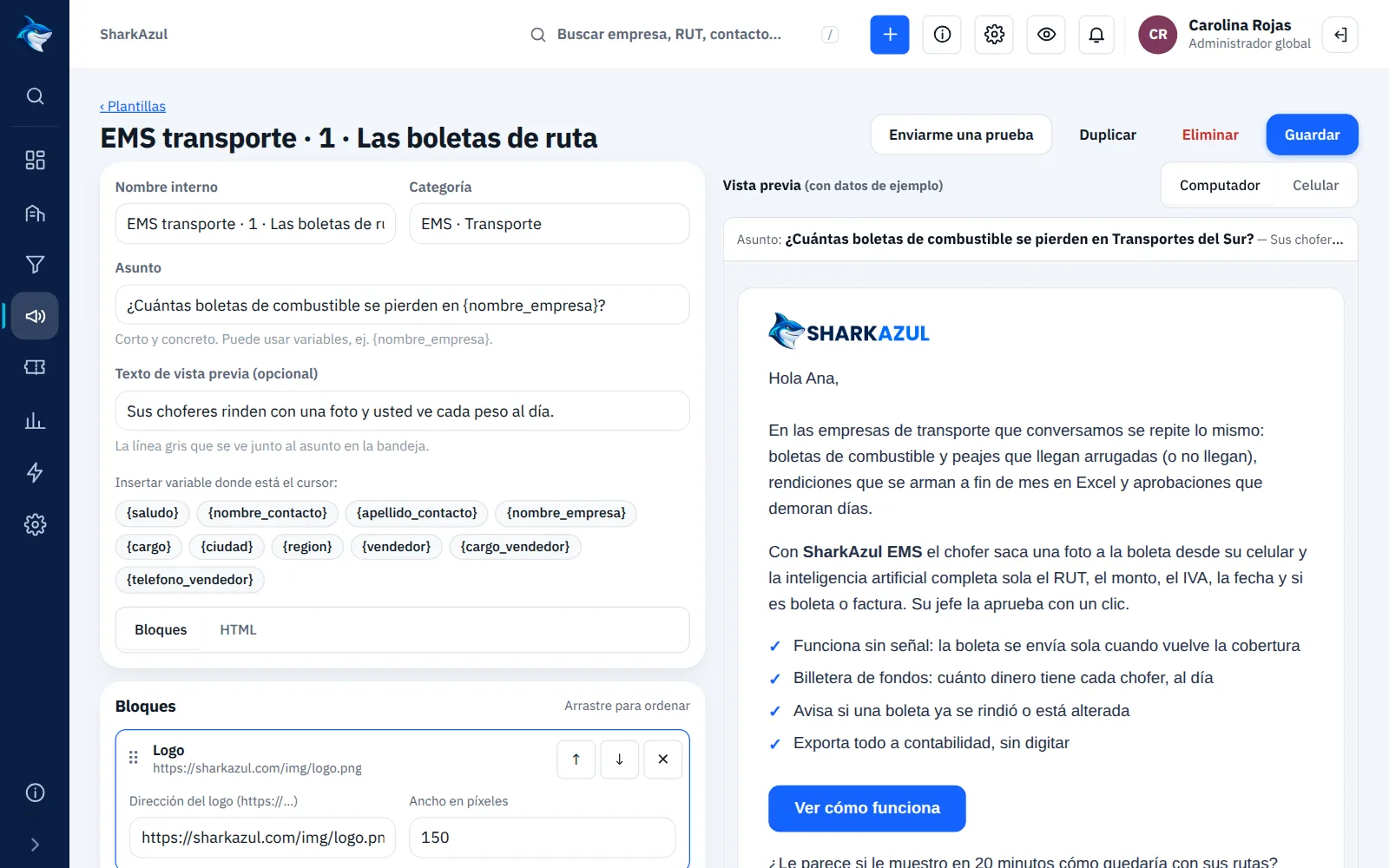
Your salespeople know who to call
Each prospect earns points when they open, click or reply. On the third open or the first click, the account owner gets an alert in the CRM.
- Contact score: open +1, click +5, reply +10
- Hot prospects list on the dashboard
- Everything stays on the company record, next to its deals and tasks
Responsible sending
- Unsubscribe link in every email
- Bounced addresses are flagged and never used again
- Sent from your own domain and mailbox, with replies in your inbox
Pricing
Email marketing is included in the CRM Pro (2,000 contacts) and Enterprise (10,000 contacts) plans. On Starter it can be added from 0.4 UF + VAT per month, depending on the number of contacts.
Request a Marketing Automation quoteScreenshots with sample data.
Questions about the CRM
Can you bring everything we have in our current CRM?
Yes, whether it comes from Salesforce, Pipedrive, Zoho, another CRM or Excel. We migrate companies, contacts, deals, tickets, products, quotes and the activity history, with owners and associations. Your current system is not modified during the migration.
Does it work on mobile?
Yes. It runs in the phone's browser, nothing to install, with the same screens adapted to the size.
Can I arrange columns and records the way we have them today?
Yes. In Settings › Layout you choose, for the whole company, the columns of each list, what the board cards show and the sections of each record.
Does it connect to field service software?
Yes, if your company also uses Shark CMMS Maintenance: a ticket that needs a field technician is sent to the CMMS and its status comes back to the CRM automatically.
How is it priced?
By number of users and the modules you use. Book a demo and we will send you a tailored quote.
See the CRM with your own data
In the demo we show you how your accounts would look, organized the way your team works.