
Shop software that books, notifies, charges and brings your customers back
Customers book on their own, get WhatsApp reminders, see photos of their car, approve work with one tap and pay from their phone. Your team works in order and you see everything on one screen.
A day in your shop
The service advisor touches the work order three times: at check-in, to quote extras and to mark it ready. Everything else happens automatically or the customer does it from the phone.
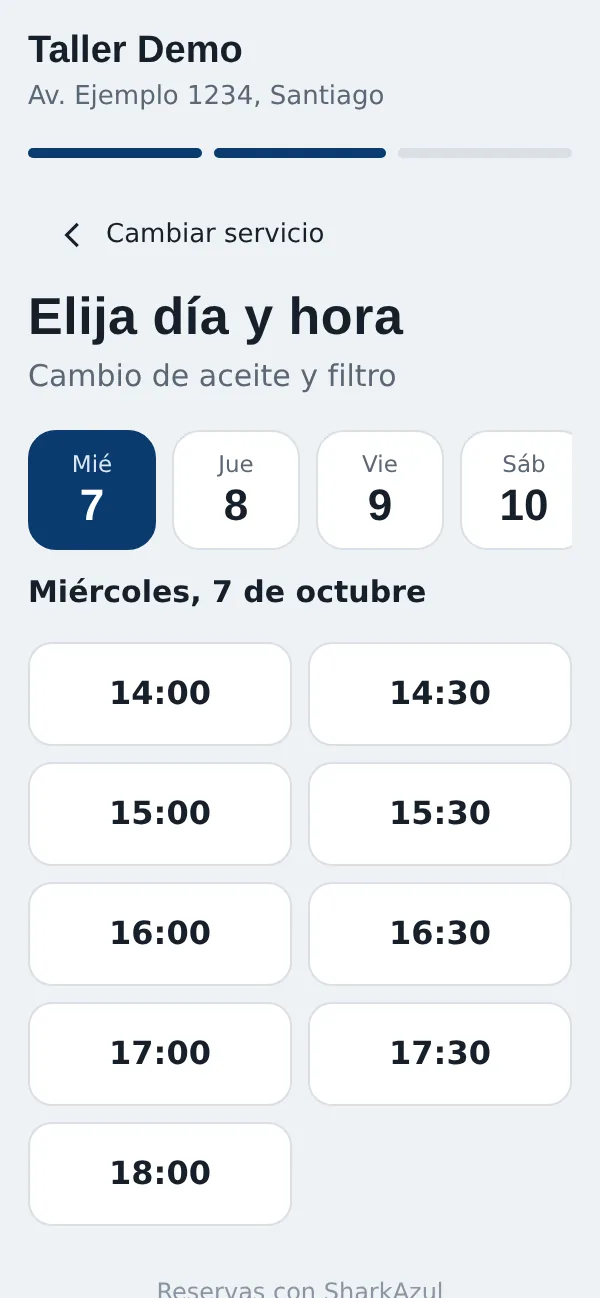
1. The customer books
From your link, website, Instagram or Google: service, day and time. Confirmation arrives by WhatsApp and can be added to the calendar.
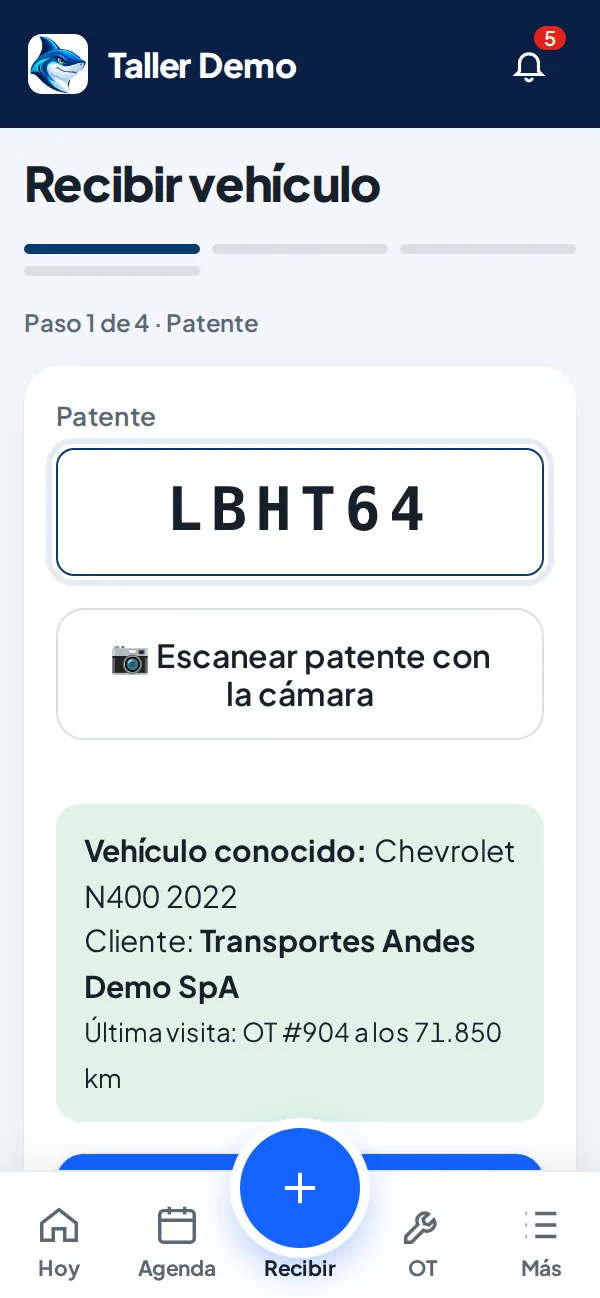
2. Check-in in 4 steps
Plate, customer, job and check-in photos. On save, the customer receives a unique link by WhatsApp.
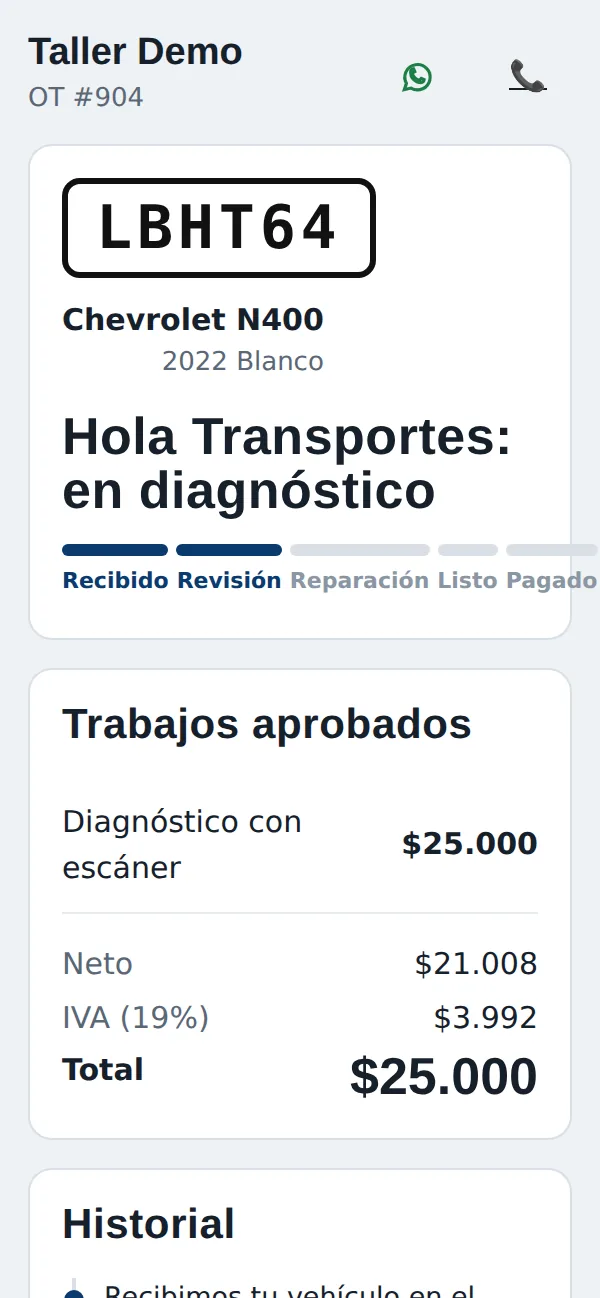
3. One-tap approval
Photos, status and recommended services with prices. Whatever they accept shows up instantly on the shop screen.
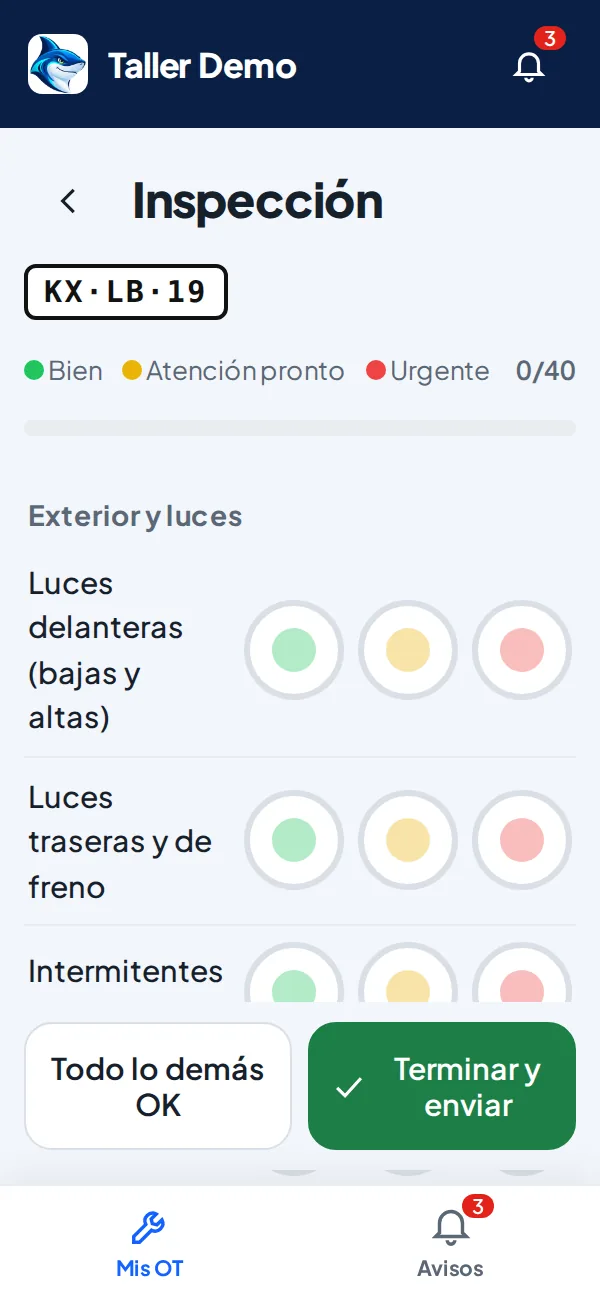
4. One-handed mechanics
Big buttons, photos, voice notes and a 40-point traffic-light inspection. A finding with a photo reaches the customer in seconds.
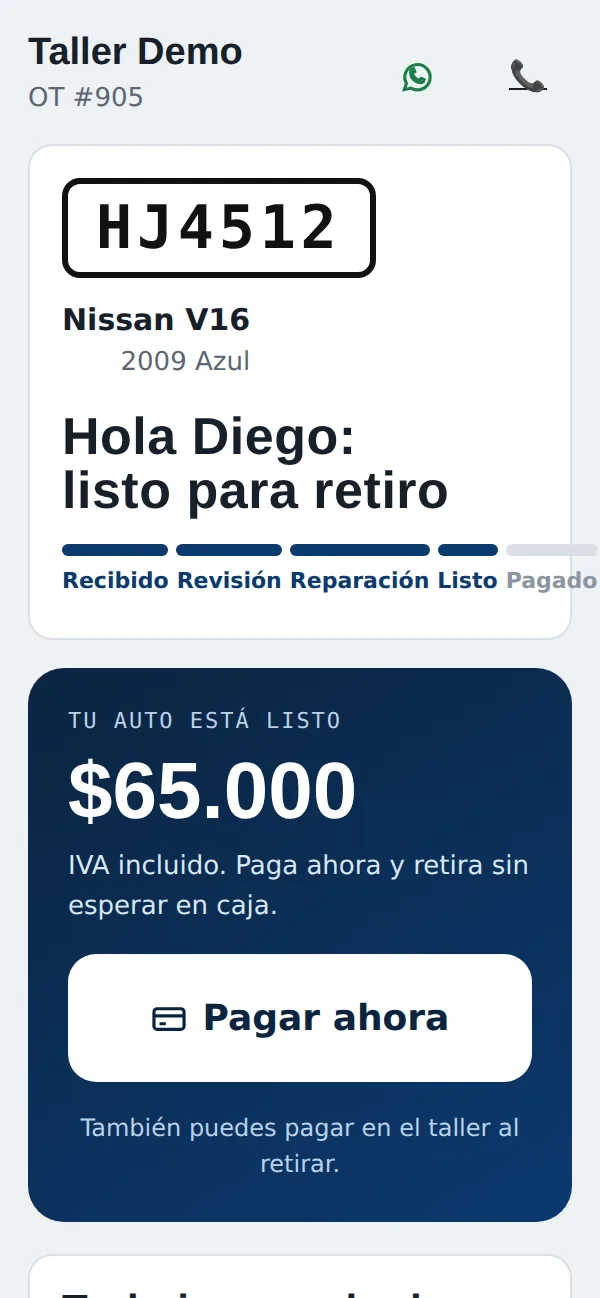
5. Pay and get the invoice
When the car is ready, the customer pays online, the work order is marked paid automatically and the invoice is issued.
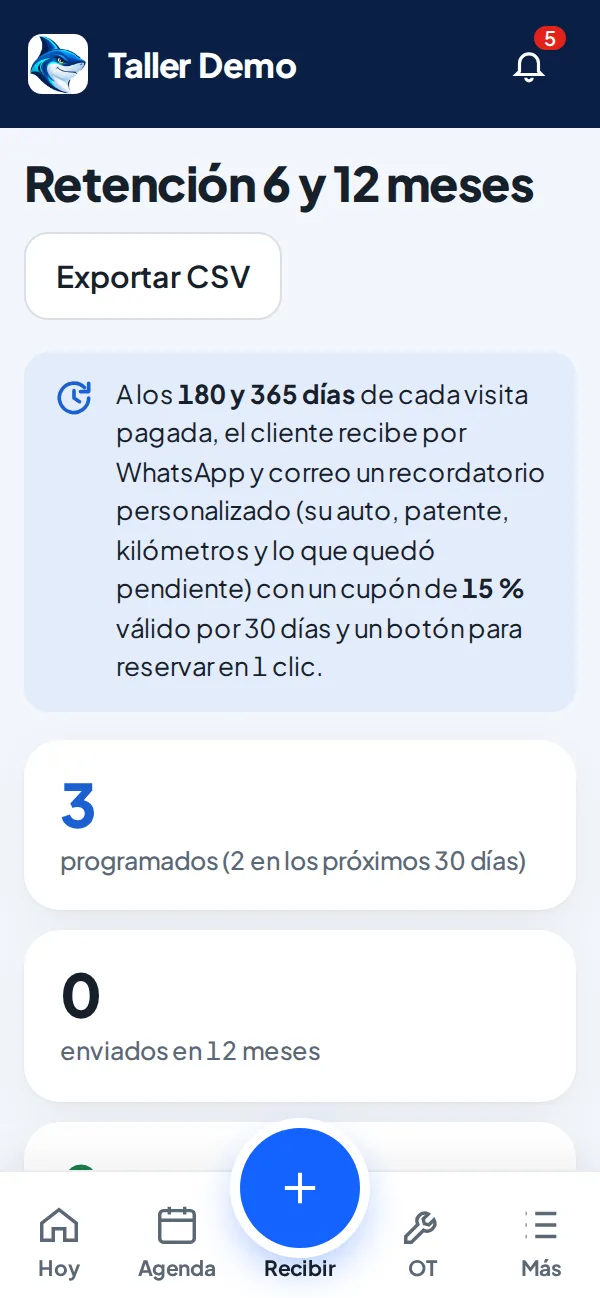
6. Back at 6 and 12 months
The system writes with their car, plate and estimated mileage, a discount coupon and a one-click booking button.
Real screenshots of the app with demo data.
Receive cars.
Not problems.
Schedule, check-in with photos and work orders in one place.

The whole day's shop on one screen
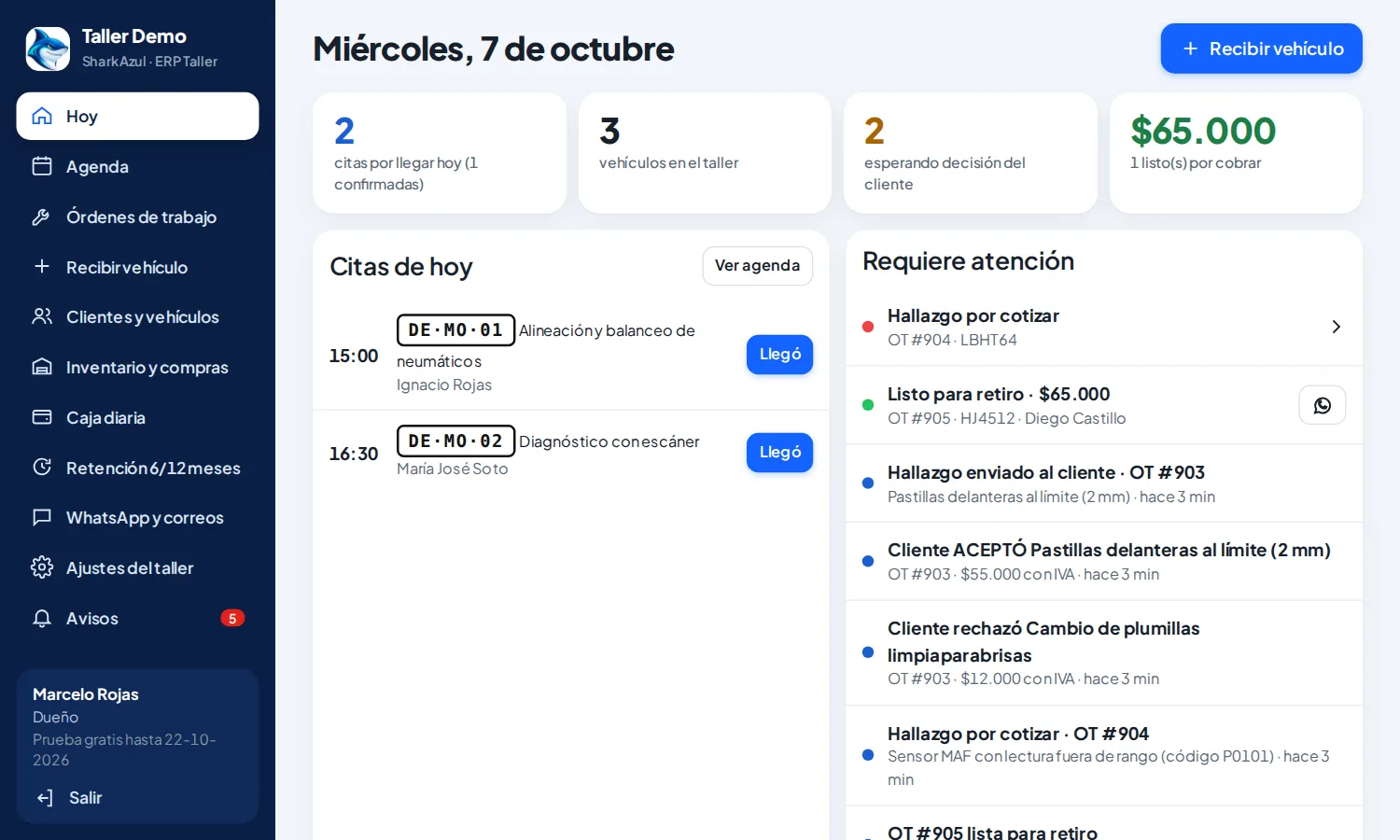
When you open the app you see today's appointments, the cars in the shop, what's waiting for the customer's decision and what's ready to be paid.
- Today's appointments with an «Arrived» button to check the car in
- Findings to quote and customer answers in real time
- Cars ready for pickup, with a one-tap WhatsApp notice
- What's left to collect, always in sight
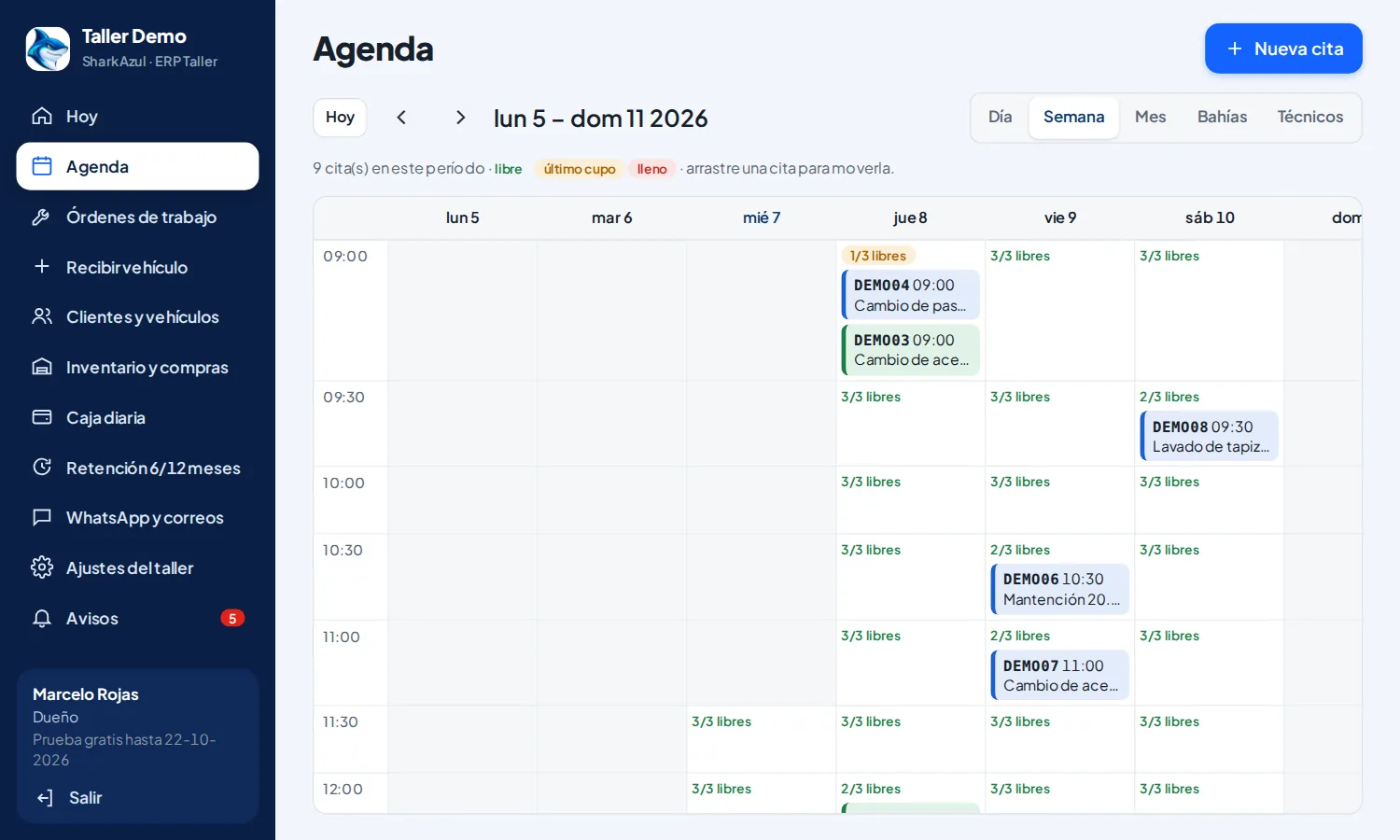
Smart calendar
Day, week, month, bay or mechanic views. You decide how many cars you receive per slot so online booking never overloads the front desk.
- 3-step online booking, no account or download
- Instant confirmation with Google Calendar or iPhone button
- Reminder 24 h before with Confirm, Reschedule or Cancel buttons
- Cancelled slots are released instantly
- Drag and drop between times, bays and mechanics
- Chilean holidays and special closures included
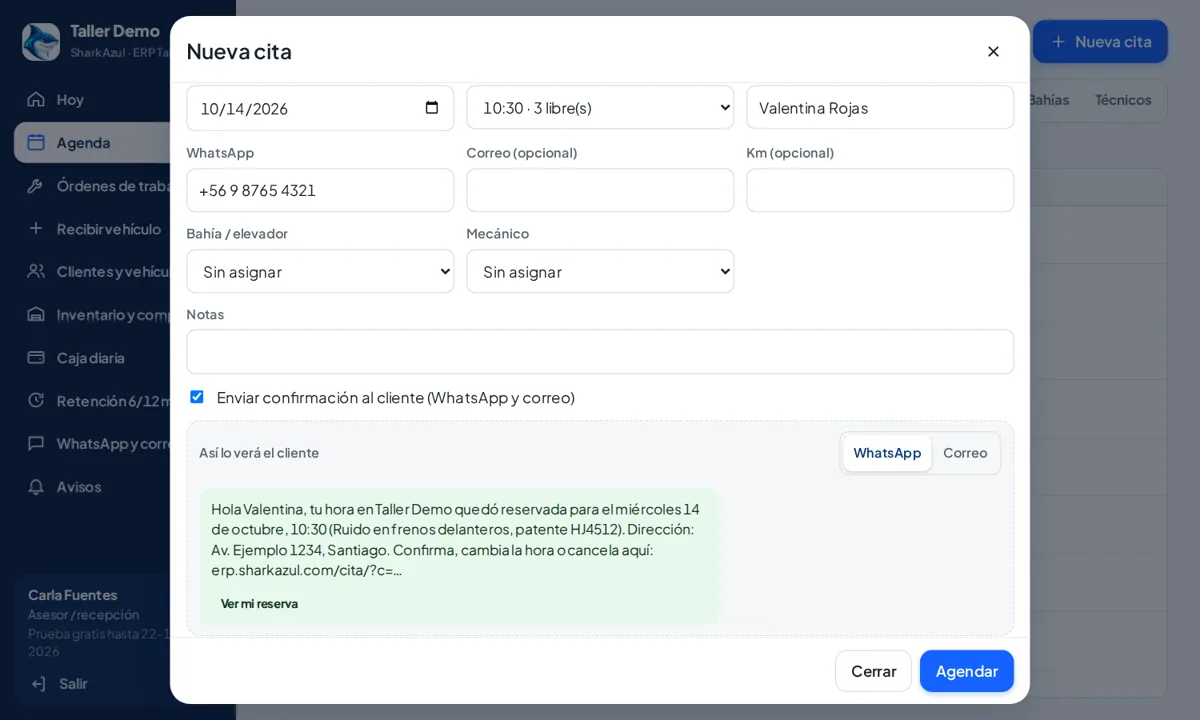
Appointments with reason and preview
When booking you add the reason for the visit and see «How the customer will see it»: the same WhatsApp or email they will get, while you type. The customer confirms, reschedules or cancels with a reason from their link.
- Visit reason in the appointment and the message
- Preview identical to what is sent
- Cancellations with reason shown in the calendar
Updated on WhatsApp.
Happy to come back.
Sees the status of the car, approves work and pays from the phone.

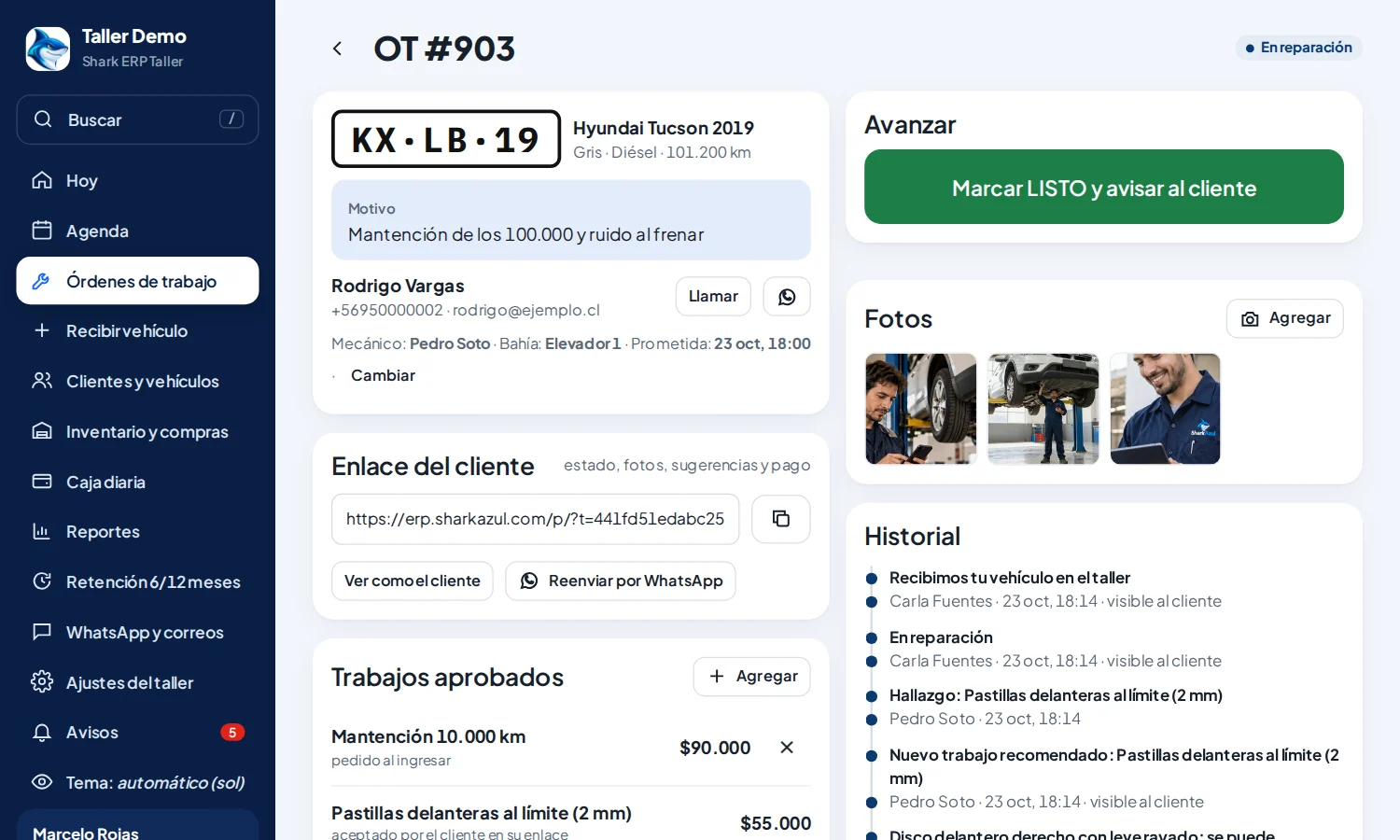
Customer link and upselling
Each car has a unique link the customer opens from WhatsApp, with nothing to download.
- Check-in photos and live repair status
- Recommended services with price: Accept or Decline
- Mechanic findings with a photo of the wear
- The total updates instantly on the shop screen
- What they decline today is reminded at the next service

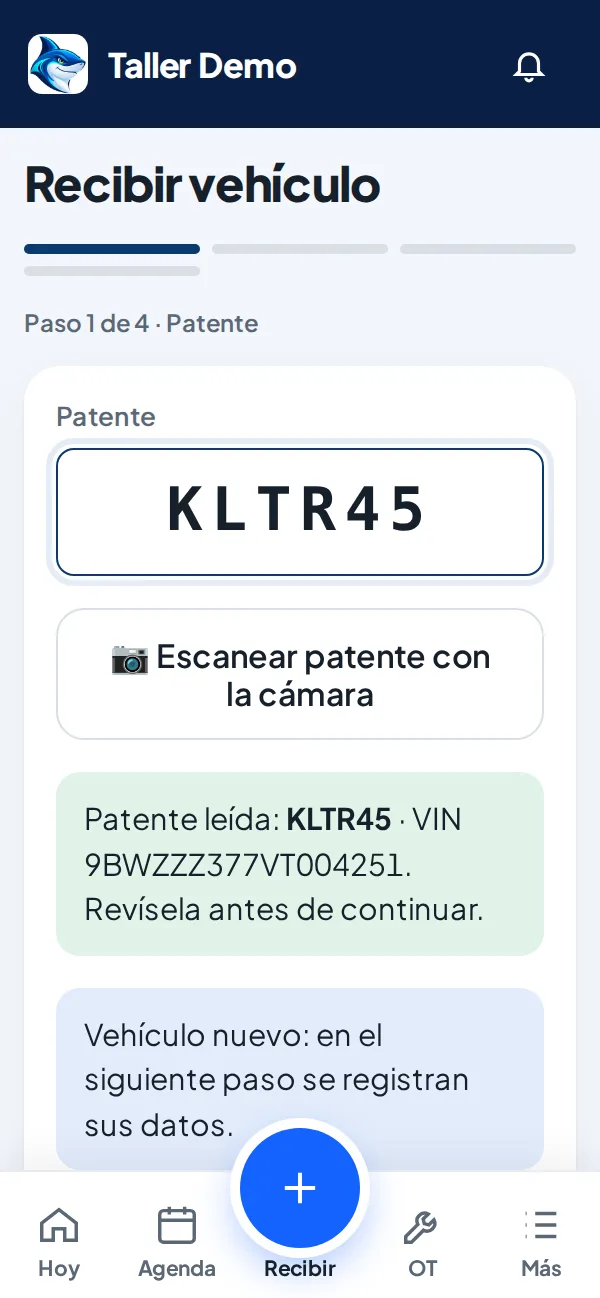
License plate: photo or type it, and the car fills itself in
At check-in a photo or typing the plate is enough: the ERP brings make, model, year and VIN from the SharkAzul vehicle registry, recognizes the customer if they came before and moves to the next step. You can always review or type by hand.
- Make, model, year and VIN without typing
- AI reads the plate and VIN from a photo
- Recognizes the customer and their history instantly
- You can always review or type by hand
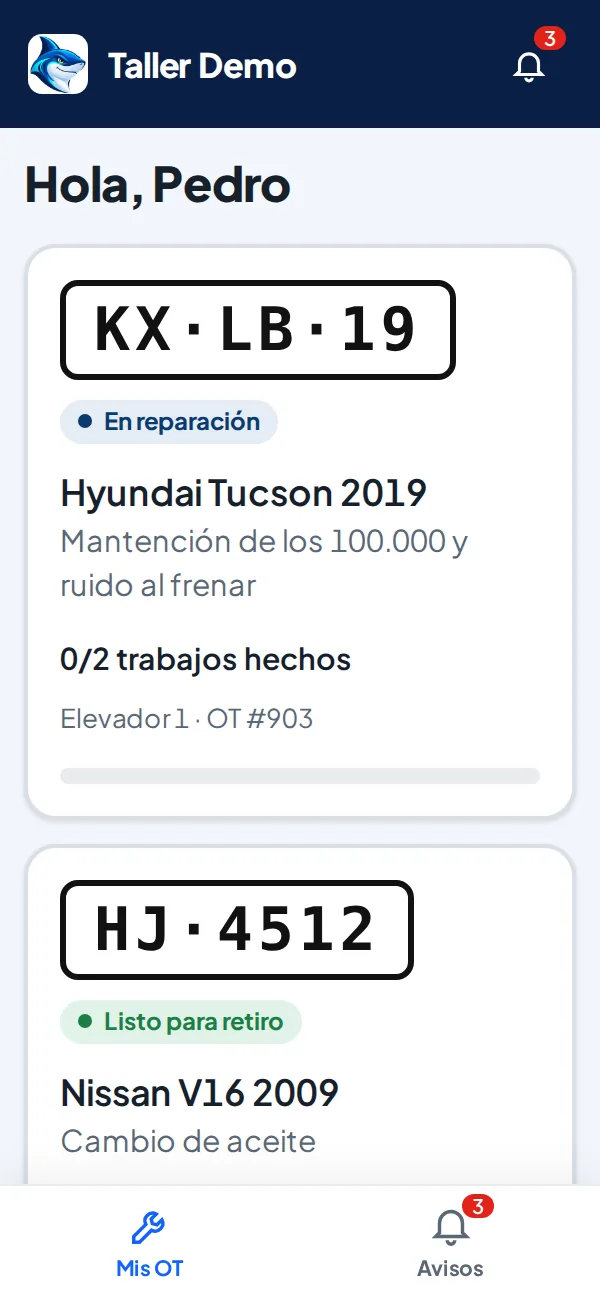
Mechanic app
Designed for one-handed use in the pit or under the car, on any phone.
- Big cards with today's work orders
- Start, add photo and voice note with one tap
- 40-point inspection: green, yellow or red
- "Everything else OK" to finish fast
- No phones or prices unless you allow it
Online payment and invoice
Customers pay from the link and the work order turns "Paid" only when the payment provider confirms it.
- Mercado Pago, Webpay (Transbank) or Flow: the shop chooses
- In-shop payment (cash, debit, credit, transfer)
- Receipt for individuals and invoice when the customer has a tax ID
- The shop manager is notified as soon as the payment arrives
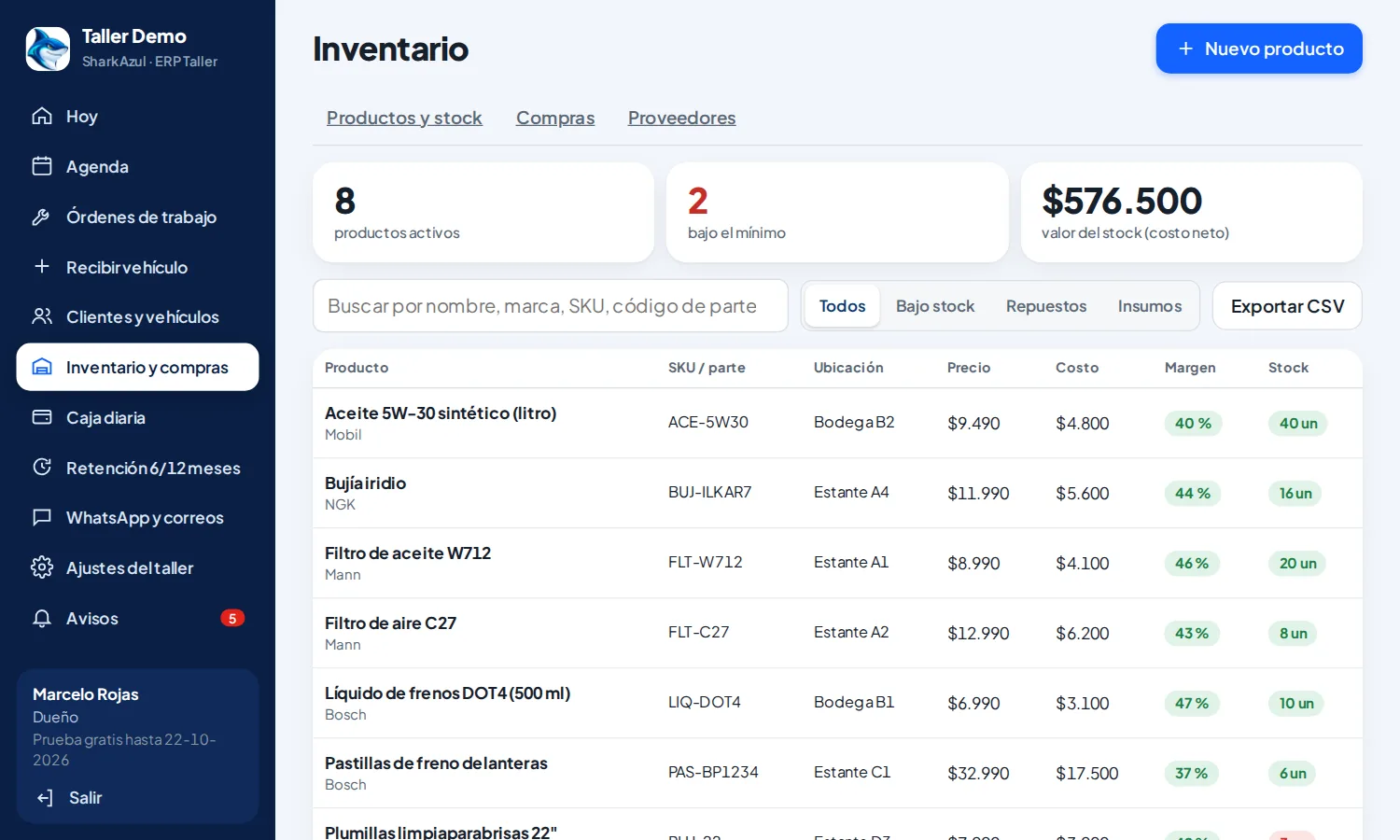
Inventory, purchases and suppliers
Parts and supplies with real stock. Adding a part to a work order deducts it automatically; if the customer declines, it goes back.
- Stock only changes through recorded movements
- Average cost and margin per part for the owner
- Low-stock alerts and bin location
- Supplier purchases add stock when received
- Excel export
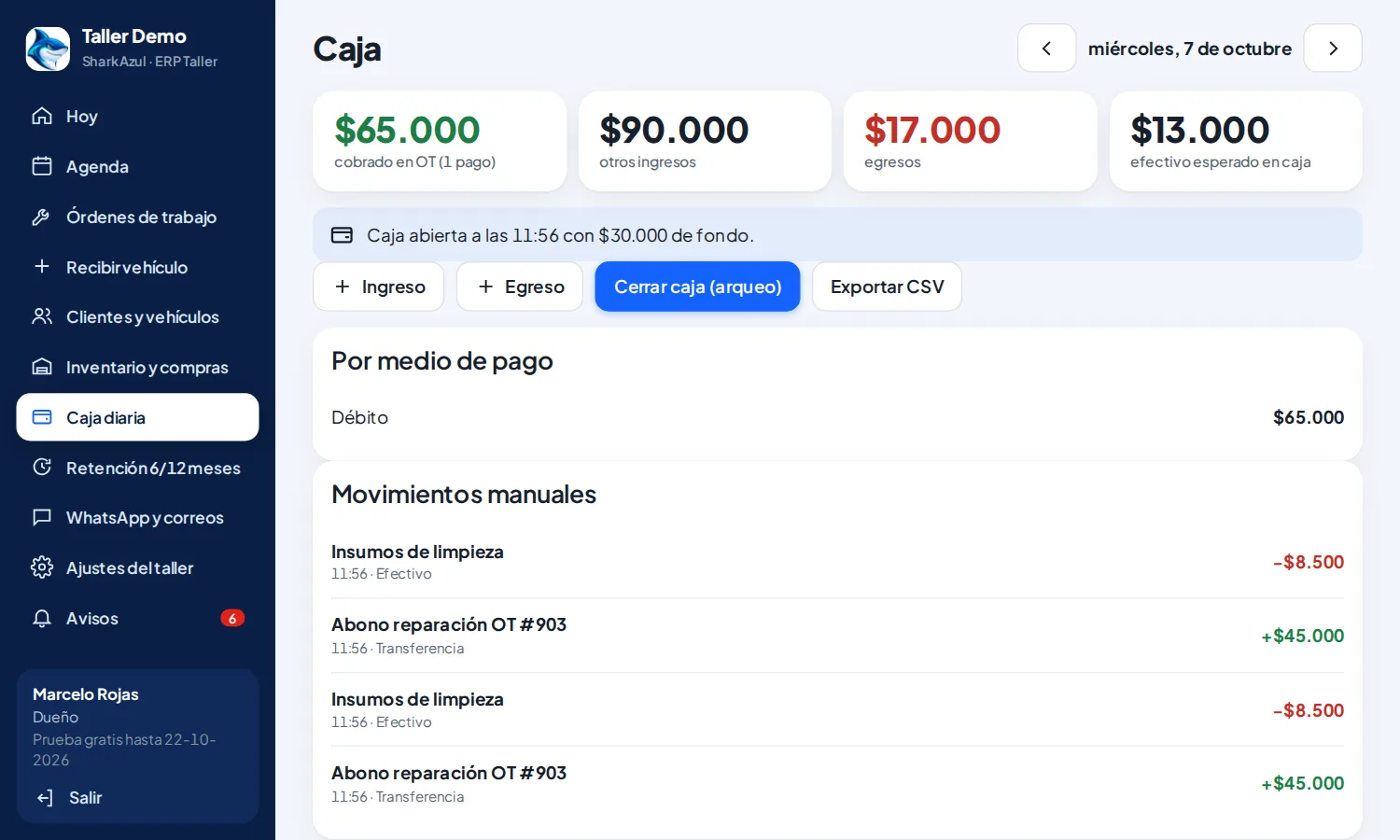
Daily cash register
Open with a float, see every payment of the day by method and close with the difference: the owner knows instantly if it balances.
- Work-order payments added automatically
- Manual income and expenses
- Cash count: expected vs. counted
- History by day and export
Customers who come back
6 and 12 months after each visit, customers get a personal message with a coupon and a booking button.
- With their name, car, plate and estimated mileage
- Single-use coupon with expiry date
- Respects people who opt out or reply "NO"
- Dashboard with how many came back and how much they spent
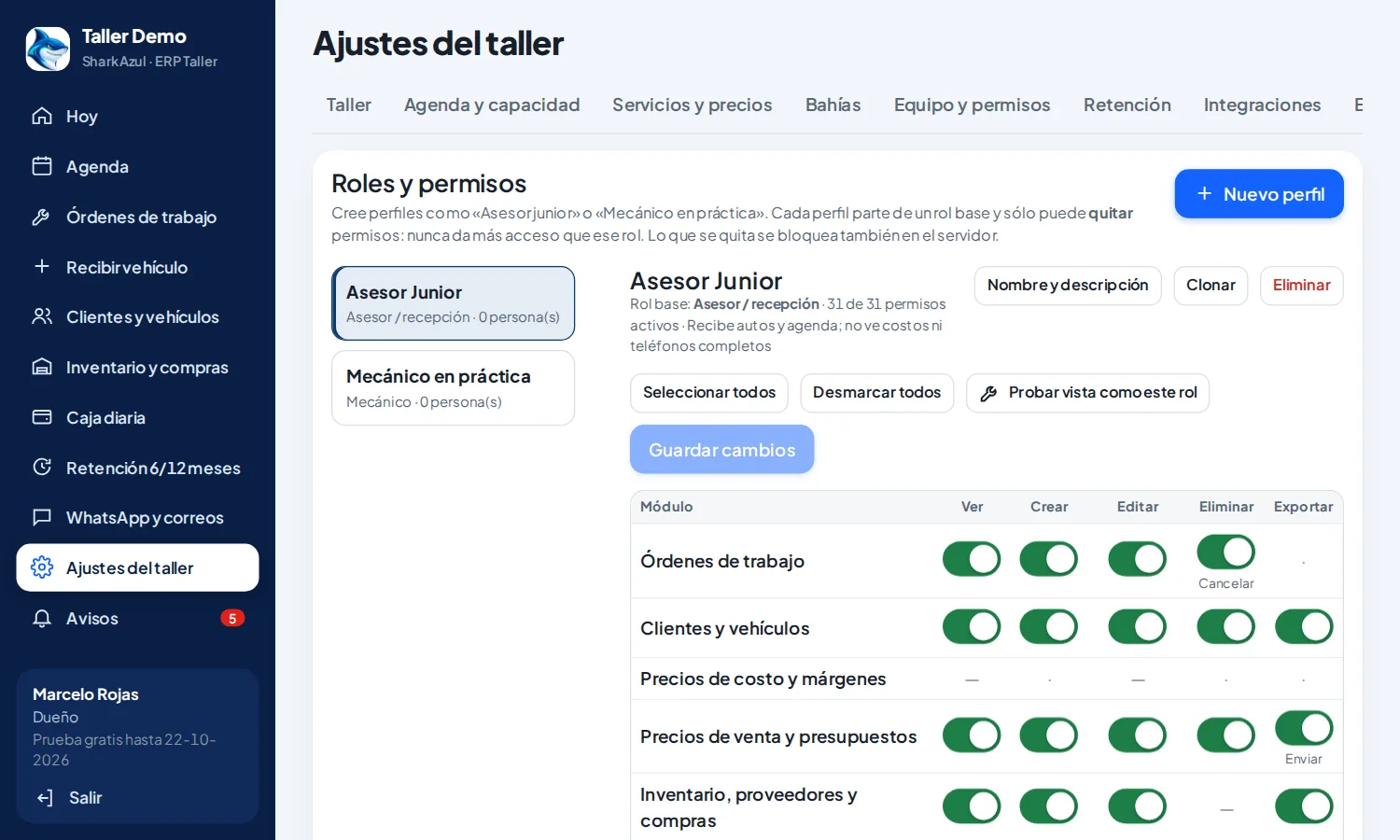
Simple permissions, protected data
The owner controls what each mechanic sees with three switches, and the database enforces it.
- Hide prices
- Hide customer phone numbers
- See only assigned work orders
- Each shop sees only its data; every permission change is logged
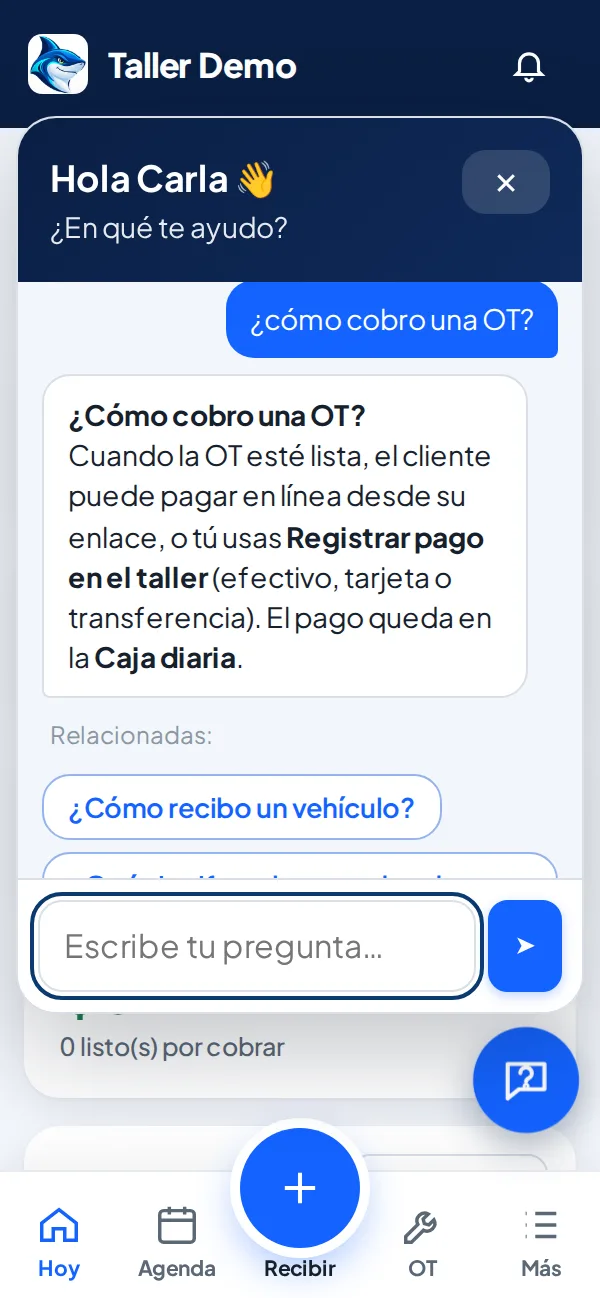
Help inside the app
An assistant answers each person's questions by role, with short answers and step-by-step guides. Just type in your own words.
- FAQs for advisor, mechanic and owner
- Search in your own words, no manuals
- Always at hand on phone and computer
Official WhatsApp, no risk for your number
We use Meta's official WhatsApp API: reminders come with buttons and your number is not at risk of being blocked. While you set up your account, the system runs in test mode and sends nothing.
- Reminder 24 h before, with buttons
- If they cancel, the slot is freed for another customer
- Test mode: nothing is sent until you turn it on
Hi Camila 👋 This is a reminder of your appointment tomorrow Thursday at 10:00 for your Kia Rio RT·PK·52 (oil change).
10:02Confirm
10:05 ✓✓Great, see you then. Address: Av. Ejemplo 1234.
10:05Before and after
Shop ERP plans
Every plan includes all features and unlimited work orders. Monthly prices in UF + VAT (Chile).
Essential
1.5 UF + VAT per month
3 users
For shops getting their calendar and work orders in order.
- All features
- Unlimited work orders
- 15-day free trial
Shop
2.5 UF + VAT per month
6 users
For shops with a service advisor and several mechanics.
- All features
- Unlimited work orders
- 15-day free trial
Pro
3.5 UF + VAT per month
12 users
For large shops with several bays.
- All features
- Unlimited work orders
- 15-day free trial
Shop network
Custom
Unlimited users
For chains and shops with several locations.
- Unlimited users
- Several locations
- Custom terms
Every plan includes
- Online booking with capacity per slot
- Make, model and VIN from the plate
- WhatsApp and email reminders
- Customer link with photos and approval
- Mechanic app and 40-point inspection
- Online (Mercado Pago, Webpay or Flow) and in-shop payment
- Electronic receipt and invoice (Chile)
- Automatic retention at 6 and 12 months
- Initial training
Extra user: 0.2 UF + VAT per month. 15-day free trial, no card. WhatsApp, Mercado Pago and electronic invoicing run on the shop's own accounts (Meta, Mercado Pago and an SII-authorized provider); each provider charges its own fees.
Frequently asked questions
Do I need to install anything?
No. It runs in the browser on computers and phones. Your team can add it to the home screen like an app.
Do my customers need an app?
No. They book and follow their car from a link they receive by WhatsApp or email.
How does the free trial work?
You get 15 days with every feature and a sample shop to practice before loading your own data.
Can I bring my data from my previous system?
Yes. If your current system exports to Excel or CSV, we load your customers, vehicles and work orders with their original numbers, without duplicates, so you keep serving from day one with your full history.
How are online payments charged?
With your own Mercado Pago account: money goes straight to you and Mercado Pago charges its fee per payment. SharkAzul charges no commission.
Can I still take payments at the shop?
Yes. Record cash, debit, credit or transfer payments and issue the receipt as usual.
What about my data?
It is yours. Each shop has separate, protected data: no other shop can see it.
Try it for 15 days in your shop
No credit card. We show you how to work with your calendar, services and team.